
Airmoya AI
Project name - AirmoyaAI
Project type - Web application
Role - AI Engineer UX/UI Designer
Background
AirmoyaAI is an AI-powered job application platform designed to streamline every step of the career search process. The platform helps users build polished, professional résumés tailored to their unique strengths, skills, and experiences. With intelligent matching, AirmoyaAI identifies job opportunities that align with each user’s role, background, and preferences—saving time and reducing the stress of searching.
Users can explore curated listings, refine options, and apply seamlessly through the platform. By combining smart automation with personalized insights, AirmoyaAI empowers individuals to present their best selves and pursue meaningful career opportunities with confidence. www.airmoya.ai
Goal
The goal of this project is to design and implement this AI application using AI tools to deliver quick, clean and modern web application, the web application that fully functions to fulfill the need of job seekers by implementing the business goal.
By conducting user research to identify potential user problems and understanding the business needs . The main goal is to design an intuitive and engaging platform experience for AirmoyaAI that helps job seekers to fulfill their needs by aligning the business needs.
This particular project focuses on redesigning the application to more usable and user centric application.
This is my story of designing ‘AirmoyaAI’—a webapp that empowers students and Professionals to provide better job application system.
My Role
I am one of the four design team on this project, I have lead and worked most of the design process and implementation. Including the following duties:- Conducting discoveries, research, identifying potential users pain points, creating sketches, storyboard, low and high fidelity wireframes, prototyping and mockups. More over I have used AI tools to design and implement the application so it can be used by millions of users worldwide.
High level Summery
First, I gathered all available information and studied the existing version of the application. I conducted multiple conversations with the product owners and the entire team to understand the business goals and the challenges users were experiencing. After collecting the necessary insights, I reviewed the application in detail and began conducting user interviews to uncover what users truly needed—and why many were not actively using the platform.
The interviews revealed critical pain points and provided the clarity I needed to start brainstorming, sketching, and identifying what required redesign. Using design tools, I quickly built a prototype and placed it in front of users to evaluate how the new flow performed. Through A/B testing, I gathered valuable feedback and validated key improvements, which helped guide the redesign direction with confidence.
Redesign Strategy
The redesign of AirmoyaAI was driven by a deep understanding of what job seekers actually need to succeed in a competitive, AI-driven hiring landscape. Based on user pain points and research insights, I established clear design goals and executed a full end-to-end UX transformation.
I was responsible for designing the entire AirmoyaAI web application, which included:
Conducting user research to identify pain points and missing functionality
Redesigning the full application flow, beginning with a smoother, more intuitive sign-up experience
Minimizing onboarding questions to a focused set so users wouldn’t drop off early
Introducing a free trial period so users could explore and interact with the app before subscribing
Updating the subscription model and pricing page for clarity and ease
Integrating an effortless one-click payment system using Google and Apple Pay
Removing the ineffective Auto-Apply feature due to user frustration and low interview results
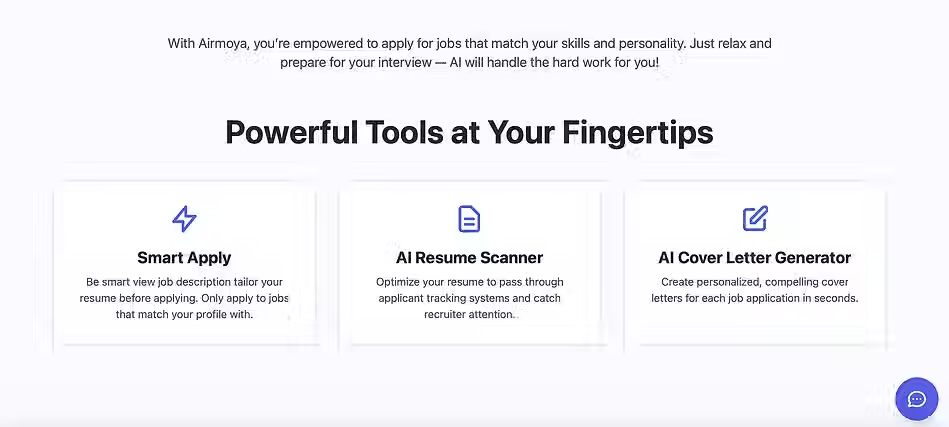
Introducing the new Scan & Apply system
AI analyzes job descriptions
Matches them to the user's skills and preferences
Tailors the résumé to the job requirements
Generates a strong, personalized cover letter
Gives users full control over applying
This new approach empowered users with more transparency, accuracy, and confidence in every application.
Impact
As a result of these UX improvements and the redesigned user experience:
AirmoyaAI achieved a 33% conversion rate
Gained over 4000 new users every month starting in August—and growing
The redesign not only improved usability but also strengthened user trust, increased engagement, and aligned the product with real job-seeker needs.

Design Goals
The redesign of AirmoyaAI was driven by a deep understanding of what job seekers actually need to succeed in a competitive, AI-driven hiring landscape. Based on user pain points and research insights, I established the following design goals:
1. Simplify the Job Application Process
Reduce friction by enabling users to build, tailor, and submit job applications with minimal effort. The experience should feel seamless, fast, and intuitive.
2. Enable Intelligent Personalization
Use AI to automatically tailor résumés and cover letters to each job description. The system should highlight relevant skills, optimize wording, and ensure alignment with employer expectations.
3. Increase User Confidence and Clarity
Give users the reassurance that their application materials represent them accurately and professionally. Clear language, transparent steps, and helpful suggestions are essential.
4. Support Accessibility and Inclusivity
Provide an experience that is accessible to all users regardless of ability, using clear typography, thoughtful color contrast, voice-supported interactions, and WCAG-informed design decisions.
5. Reduce Cognitive Load
Streamline interfaces, group related actions, and provide guided workflows so users can focus on the quality of their applications rather than navigating the interface.
6. Create a Cohesive, Modern Visual Identity
Deliver a clean, professional, and trustworthy UI that reflects the values of a career-focused platform and aligns with users' expectations for modern job-search tools.
7. Empower Users With Control and Flexibility
Offer easy ways to edit, review, or override AI-generated content, ensuring users maintain full ownership of their application materials.
Understanding the Real Needs of Job Applicants
The core question that shaped this redesign was simple: What do job applicants truly need?
In my design process, I believe that identifying the real problem is the foundation for creating meaningful solutions. For job seekers navigating today’s AI-driven landscape, the challenge isn’t just applying quickly—it’s applying effectively.
Most applicants want a streamlined experience that allows them to apply with ease. But beyond simplicity, they need something far more valuable: a tool that intelligently tailors their résumé and cover letter to each specific job description. This level of personalization helps them present a compelling narrative about who they are, what they bring, and how they align with a company’s goals.
While many existing applications offer résumé tailoring, most fail to address the complete picture. They don’t help job seekers create a résumé and cover letter that are directly matched to the language, requirements, and priorities of the job posting. As a result, applicants often spend unnecessary time rewriting or restructuring their materials manually.
Through this redesign, my goal was to create an intuitive, functional platform that empowers users to apply for jobs with confidence. With just a few clicks, users can generate job-specific application materials that work together—résumé + cover letter—to better position them for success.
This case study explores how I identified these pain points and redesigned the experience to meet the real needs of today’s job seekers.
Assumption
The project assumes that good research will create a great design result. The project assumes to create a platform for millions.
We believe this project will impacts the life of the community as a result of the design process and outcome.
It is assumed that great design delivers the best of user experience to improve both students and professionals.
It is assumed that this application will create multiple opportunities for job seekers.
User Research Insights
To understand the challenges job seekers face in today’s evolving hiring landscape, I conducted user interviews, competitive analysis, and workflow observations. The insights gathered revealed several recurring themes that shaped the redesign of AirmoyaAI:
1. Resume Tailoring Is Time-Consuming and Overwhelming
Most users reported spending significant time rewriting their résumé for each job application. They struggled to understand what keywords to include, what to remove, and how to match employer expectations.
Insight: Users want automated, intelligent assistance that removes the guesswork from résumé tailoring.
2. Cover Letters Are a Major Pain Point
Participants expressed low confidence in writing cover letters. Many weren’t sure how to describe their strengths, how long the letter should be, or how to align their experience with the job description.
Insight: Users need guidance—or complete support—in crafting personalized, high-quality cover letters.
3. Job Platforms Feel Overwhelming and Fragmented
Users often switch between multiple job boards, résumé builders, text editors, and AI tools. This fragmentation creates stress, reduces motivation, and slows down the application process.
Insight: There is a strong need for a unified platform where users can prepare and apply without jumping between tools.
4. Lack of Confidence in “Generic AI Outputs”
Several users shared that generic AI-generated content feels robotic, repetitive, or misaligned with their real experience. They fear that this lowers their chances of standing out.
Insight: Users want AI assistance that is specific, contextual, and reflective of their authentic professional story.
5. Users Want Simple, Fast Experiences
Participants emphasized that they don’t want complex forms or long flows. They want to create tailored applications quickly—especially when actively applying to many roles.
Insight: The workflow must offer speed, clarity, and minimal steps while still producing high-quality results.
6. Accessibility and Guidance Improve User Trust
Users appreciated clearer language, structured steps, visible indicators, and options for text or voice input. These features increased confidence and usability for people with diverse abilities.
Insight: Accessible, guided workflows help all users feel supported and reduce cognitive strain.
7. Personalized Job Matching Is Highly Valued
Users expressed frustration with irrelevant job recommendations. They want job matches that reflect their skills, preferences, and experience—not random listings.
Insight: Smart job-matching features significantly increase user satisfaction and engagement.
Target Audience
-
The target audience for this project is mostly ages 21- 60, worldwide.
-
People who have access to internet.
-
People who are looking jobs and work.
-
People who want to switch carriers.
-
Ready to have a better work.
-
People who want to use AI and manage their time wisely with a low cost tool.
Success Metrics
-
Provide an easy-to-use application marketing system easy and accessible.
-
Providing the right information to job seekers on time.
-
Having a great user experience and UI elements attracting users and increase the number of users with the online AI job searching platform.
-
To see students and professionals success inter job search goals.
Design Process
.webp)

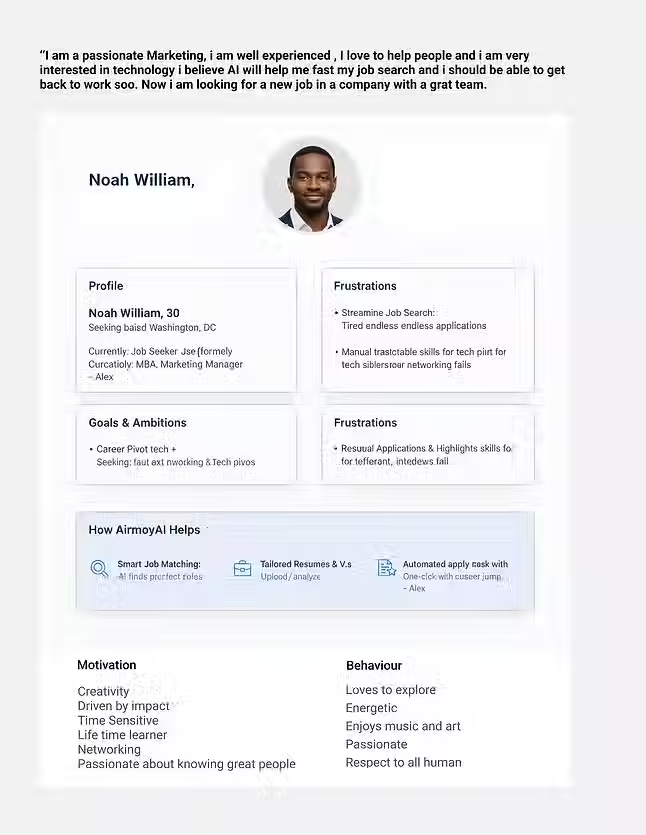
User Persona
Competitor analysis
1: Teal
What Teal does
Teal is a career‑management and application‑support platform that combines a résumé builder, job‑application tracker, and AI‑driven content suggestions. It allows users to build a résumé, tailor it, track their applications, and manage their job‑search pipeline — all from a single dashboard.
Strengths
Integrated workflow: Teal combines résumé building, job‑tracking, and application management — so users don’t need to juggle multiple tools.
AI‑powered tailoring and optimization: Offers AI‑driven resume optimization and keyword targeting to help match job descriptions.
Job tracking + organized dashboard: Lets users save jobs, track progress, and manage applications — helpful especially for people applying to multiple roles.
Ease of use: Provides a cohesive, less fragmented experience than using separate tools for resume/CV, cover letters, and job boards.
Weaknesses / Limitations
Not full support for cover letters or deep personalization: While Teal helps with résumé optimization and job tracking, it doesn’t lead the market in providing deeply tailored cover letters or fully automated job‑specific application documents (résumé + cover letter + matching). According to reviews, some users find AI suggestions useful but still limited for full end‑to‑end applications.
Potential overwhelm for basic users: Because it’s a “full-suite” platform, users who only want a simple résumé builder may find the extra features unnecessary or confusing.
Premium features locked behind paywall: Some of the deeper AI-guided features require a paid plan, which may limit accessibility for users who want free help.
What AirmoyaAI can learn / do differently
Lean into deep personalization: While Teal offers solid résumé building + tracking, AirmoyaAI should differentiate by providing stronger AI‑driven tailoring of both résumé and cover letter to each job description.
Provide a simpler user journey: Avoid overwhelming users with too many features at once. Offer a streamlined core flow for those who want speed and simplicity, plus “advanced mode” for power users.
Make value more visible (especially for free/entry users) — ensure core functionality is accessible without immediate paywalls, to build trust and user adoption.
Maintain integrated tracking + document management like Teal, but with extra focus on application‑specific customization.
2: Rezi
What Rezi does
Rezi is a résumé builder focused on creating ATS‑friendly, optimized resumes. Its AI helps generate bullet points, align content with job descriptions, and ensure résumé structure fits what applicant‑tracking systems expect.
Strengths
ATS optimization: Rezi’s emphasis on making résumés pass applicant‑tracking systems is a major benefit for job seekers applying through large companies that use automated screening.
Quick résumé generation & editing: The process is straightforward, with AI-generated summaries and keyword matching to help users build a strong résumé quickly.
Good for corporate/standard applications: Because of its focus on function over design, Rezi is useful for users who want to ensure their résumé gets through filters — not necessarily to stand out visually.
Weaknesses / Limitations
Limited beyond résumé: Rezi tends to focus on résumé creation and ATS compliance; it does not fully address cover letters, personalized applications, or job‑matching as part of a broader workflow.
Less emphasis on design/branding: For creative or design‑oriented applicants, minimal formatting may look bland and not showcase personal or branding aspects.
Not a full application ecosystem: Users still need to manage job search, applications, cover letters, and tracking manually or with other tools.
What AirmoyaAI can learn / improve
Combine ATS optimization with full application support: Offer résumé + cover letter building optimized for ATS, but also integrate with job‑matching and application workflow (something Rezi doesn’t do).
Balance function and presentation: While ATS compliance is vital, having clean but attractive design templates could benefit users outside strictly corporate roles.
Provide a unified end-to-end solution: Don’t stop at résumé — support cover letters, job matching, application tracking, and document management in one platform.
Prompting with AI
I use a clear, practical, and industry-level guide on how to prompt and structure my workflow when developing an AirmoyaAI application while using tools like Figma AI, Google AI Studio, OpenAI Chat GPT, Gemini, Cursor. Here is the guideline I use while I prepare my prompt.
1. Complete App Overview & Goal
Define what the app does, who it serves, and what problems it solves.
Prompt focus: clarity of purpose.
2. Define the Architecture
Break the product into modules (e.g., onboarding, scanning, generating, matching).
Prompt focus: each module has its own role + constraints.
3. Create the Design System
Establish tone, voice, colors, UI behaviors, accessibility rules.
Prompt focus: make the model follow consistent language and UI logic.
4. Build a Prompt Template Library (per screen)
For each screen or feature, create reusable prompts.
Prompt focus: structure prompts using role + context + task + output format.
5. Continuously Evaluate Outputs
Test prompts with different scenarios and refine them.
Prompt focus: improve accuracy, clarity, and consistency.
6. Create Global Guidelines for App Behavior
Define how AI should respond across the entire app:
-
tone
-
constraints
-
formatting
-
allowed & not allowed behaviors
Prompt focus: global rules ensure predictable results.
7. Execution Order
Implement prompts in the correct flow:
System prompt
Developer instructions
User prompt
Output formatting
This creates stability and production-ready responses to my workflow.

Eteration
After carefully assessing available documents we were able to design the website's information architecture, UI and all the visual elements using sketches and wireframes with new features including a landing page, login for both the clients and freelancers. Freelancers and customers can fully control their page including posting an image, editing, comment, delete, send and receive direct messages.
The new section in the designing process with "featured freelancers of the month" page will help the website for more visitors that enhances the traffic.



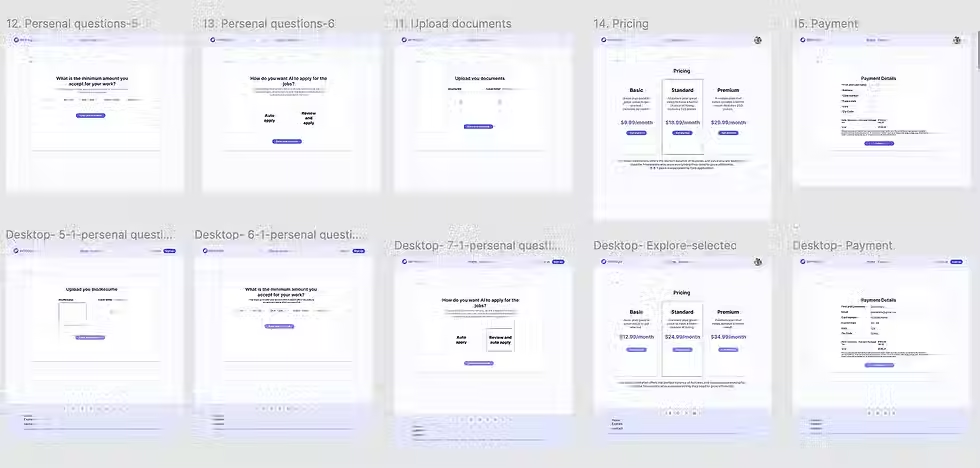
Mockups
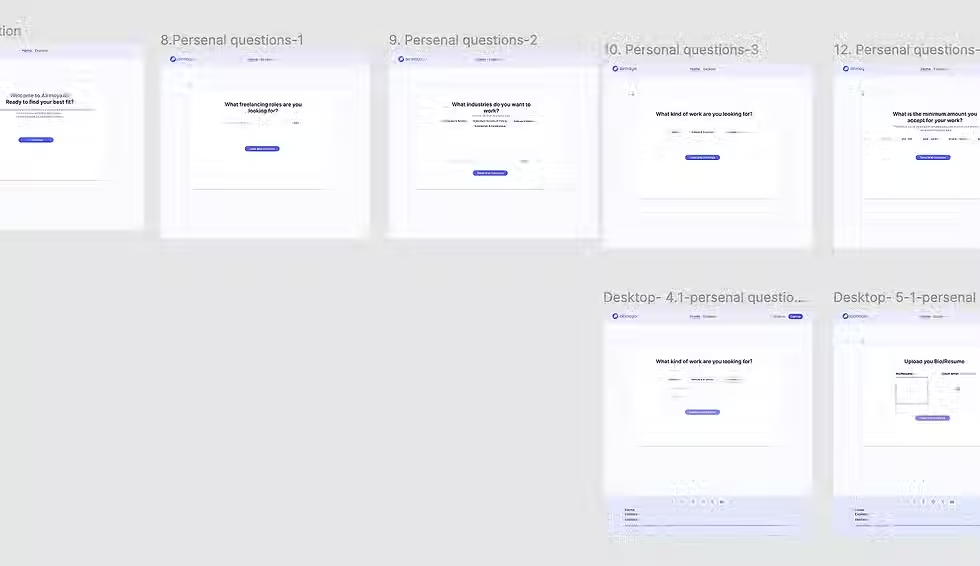
A preview of the interactive prototype developed in Figma, demonstrating the new user journey from service discovery to booking.
Usability Testing – AirmoyaAI
To ensure AirmoyaAI meets real user needs and provides a smooth, intuitive experience, I conducted usability testingwith target users, focusing on the onboarding flow, AI-powered résumé and cover letter tools, and dashboard interactions.
1. Objectives
-
Validate that new users can sign up, complete onboarding, and access the dashboard without confusion.
-
Assess whether AI-powered résumé and cover letter tools are easy to use and understand.
-
Identify friction points in job matching, application submission, and document management.
-
Ensure accessibility and inclusivity for diverse users, including those using assistive technologies.
2. Methodology
Participants: 8–10 users, including recent graduates, mid-career professionals, and users with accessibility needs.
Testing Type: Remote moderated sessions using screen-sharing + think-aloud protocol.
Tasks:
-
Sign up and complete onboarding questions.
-
Explore pricing and complete a subscription.
-
Upload or create a résumé using AI-assisted tools.
-
Generate a tailored cover letter.
-
Use Smart Apply to find and apply for a job.
-
Manage documents and update profile settings.
-
Metrics: Task completion rate, time on task, errors, and user satisfaction (Likert scale 1–5).
3. Key Findings
-
Onboarding Flow:
-
Most users completed all 6 questions without assistance.
-
Some users wanted a progress indicator or “skip” option.
-
-
Résumé & Cover Letter Tools:
-
Users appreciated AI suggestions and keyword recommendations.
-
A few participants were unsure how to edit AI-generated content effectively.
-
-
Smart Apply & Job Matching:
-
Users liked the tailored job suggestions.
-
Some expected clearer status updates after application submission.
-
-
Document Management:
-
File upload and organization was straightforward.
-
Users wanted drag-and-drop and bulk actions for documents.
-
-
Accessibility:
-
High contrast, readable fonts, and voice input were praised.
-
Some keyboard navigation inconsistencies were noted.
-
4. Improvements Implemented
-
Added progress indicators and optional skip during onboarding.
-
Introduced inline tips and editable AI suggestions for résumés and cover letters.
-
Enhanced Smart Apply feedback, showing application status clearly.
-
Added drag-and-drop document upload and batch actions.
-
Fixed keyboard navigation issues and ensured all interactive elements are accessible via screen readers.
5. Outcome
-
Task Completion Rate: 95% across core tasks after improvements.
-
User Satisfaction: Average rating of 4.6/5.
-
Users reported feeling more confident in building tailored applications and appreciated the inclusive, accessible design.


Conclusion
-
Summary of Impact: The redesign has significantly improved user satisfaction and booking completion rates, as evidenced by preliminary user feedback and enhanced usability testing scores.
-
Lessons Learned: The project underscored the importance of integrating continuous user feedback into the design cycle and the necessity for close collaboration across functional teams to align UX enhancements with business goals.
-
Future Work: Plans are underway to extend improvements to the mobile application and explore AI-driven features to personalize user experiences further.


